
01
Every angle, on demand
Visitors drag to rotate and pinch to zoom, so they can check the back, the base or a joint on their own. They get answers without emailing your team.
Customers spin the product, zoom into details, switch colours and materials and compare models on any phone or laptop. We prepare lightweight models and add the viewer to your Shopify, WordPress or custom site.
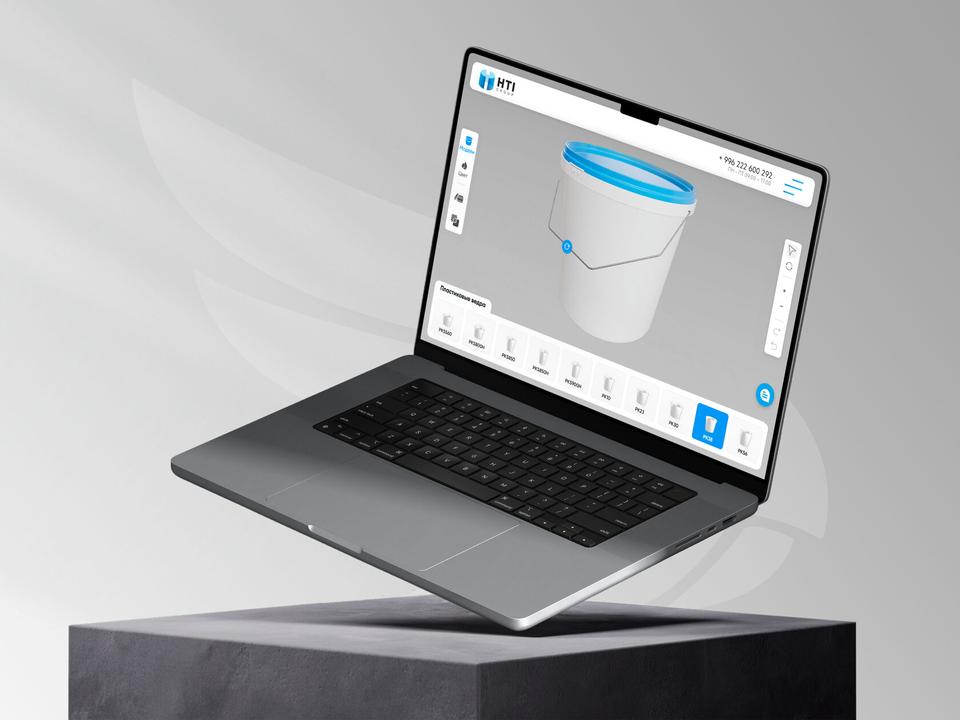
Photos show one angle at a time. A viewer lets the buyer look at exactly what they care about.
Visitors drag to rotate and pinch to zoom, so they can check the back, the base or a joint on their own. They get answers without emailing your team.
Swatches switch finishes on the same model instantly. You show the full range without photographing every variant.
Customers can place two models or sizes next to each other to see the difference in scale and features. It helps with products where size matters, like furniture or equipment.
We compress geometry and textures so models stay light and open quickly on a phone. A still image shows first, and the model loads only when the visitor reaches it.
A good fit when buyers need to inspect the product before they order or ask for a quote, but you do not need full build-your-own logic.
Not sure it fits? Ask usFurniture, lighting, fixtures, bikes and equipment where shoppers hesitate at photos alone. The viewer sits on the product page next to the gallery.
When distributors and contractors browse many models. A 3D catalogue lets them compare shapes, sizes and finishes without ordering a sample.
When each item comes in multiple colours or materials and photographing all of them is costly. One model covers every variant.
When you want to start with a viewer and add options and pricing later. The web models we prepare carry over to a full configurator.
The base scope covers the viewer and a starter set of products. More models are quoted per product and can be added at any time.
We start from what your customers need to see, then keep the models as light as that allows.
We list the products, finishes and features the viewer should show, and decide whether you need comparison, hotspots or AR.
We build models or convert them from CAD, reduce polygons and bake textures so each file stays small without losing detail.
We set up the controls, swatches, hotspots and comparison view with Three.js or model-viewer, styled to match your site.
We add the viewer to your product pages on Shopify, WordPress or your custom platform, with a still image as a fallback.
We test load speed and controls on real phones and major browsers, then hand over the models, code and a short guide for adding products.
Send us a link to your site and a few products, and we will show you what a viewer could look like and what it costs.
Talk to the team +1 (437) 826-8716info@thrive-solutions.netA viewer with a starter set of products starts at $2,500 CAD before HST. The price depends on how many models we prepare, how many finishes each has and whether you need AR or comparison, and it is fixed after a free call.
Most viewers go live in 3 to 5 weeks. If you already have clean 3D or CAD files it can be faster, since preparing models is usually the longest step.
Not when the models are prepared properly. We compress each model, load it only when the visitor scrolls to it and show a still image first, so the rest of the page loads as usual.
Yes. The viewer is added as a small block in your product template, so it works on Shopify, WordPress, Webflow and custom sites. We also show your team how to attach a model to a new product.
A viewer lets customers inspect products and switch between set finishes. A configurator adds rules, options that depend on each other, live pricing and a quote or order at the end.
Tell us about your project and get a free growth plan within one business day: what to fix, what to build and what it will cost.